<?xml version="1.0" encoding="utf-8"?><feed xmlns="http://www.w3.org/2005/Atom" ><generator uri="https://jekyllrb.com/" version="3.9.5">Jekyll</generator><link href="/feed.xml" rel="self" type="application/atom+xml" /><link href="/" rel="alternate" type="text/html" /><updated>2024-07-05T21:24:31+00:00</updated><id>/feed.xml</id><title type="html">Blog by Bogumił Kamiński</title><subtitle>Comments on things I find usable or interesting</subtitle><entry><title type="html">The main thing in Julia 1.11</title><link href="/julialang/2024/07/05/main.html" rel="alternate" type="text/html" title="The main thing in Julia 1.11" /><published>2024-07-05T05:43:01+00:00</published><updated>2024-07-05T05:43:01+00:00</updated><id>/julialang/2024/07/05/main</id><content type="html" xml:base="/julialang/2024/07/05/main.html"><![CDATA[<h1 id="introduction">Introduction</h1>

<p>This is my last blog post with the previews of an upcoming Julia 1.11 release.
The functionality I want to cover today is an option of defining an entry point to the Julia script.</p>

<p>The code was tested under Julia 1.11 RC1.</p>

<h1 id="a-traditional-julia-script">A traditional Julia script</h1>

<p>Traditionally when writing a Julia script you assumed that when you run a <code class="language-plaintext highlighter-rouge">julia some_script.jl</code> command.
In this case Julia sequentially executes the contents of the <code class="language-plaintext highlighter-rouge">some_script.jl</code> file and terminates.</p>

<p>When I was writing Julia code that was meant to be executed in this way my typical approach was to always encapsulate all executed code in functions.
In this way we can avoid many problems that are introduced by writing code that is executed in global scope, including some of the common issues:</p>

<ul>
  <li>scope of variables (no need to think about the <code class="language-plaintext highlighter-rouge">global</code> keyword);</li>
  <li>performance (code inside functions is compiled, thus fast);</li>
  <li>an accidental use of the same name for different objects in global scope spaghetti code (I think everyone has been bit by this issue);</li>
  <li>pollution of RAM memory (large objects that have bindings in global scope are kept alive and it is easy to forget to unbind them to alow garbage collection).</li>
</ul>

<p>Therefore a typical structure of my code was:</p>

<div class="language-plaintext highlighter-rouge"><div class="highlight"><pre class="highlight"><code>...
some definitions of data structures and code inside functions
...

function main(ARGS)
    ...
    the operations I want to have executed by the script
    ...
end

main(ARGS)
</code></pre></div></div>

<p>This is a style that is natural for programmers used to such languages as e.g. C, where the <code class="language-plaintext highlighter-rouge">main</code> function is an entry point.</p>

<h1 id="script-under-julia-111">Script under Julia 1.11</h1>

<p>Julia 1.11 adds an option to mark the <code class="language-plaintext highlighter-rouge">main</code> function as an entry point. It makes sure that <code class="language-plaintext highlighter-rouge">main(ARGS)</code> gets called after execution of the script.</p>

<p>It is quite easy to mark the <code class="language-plaintext highlighter-rouge">main</code> function as an entry point. It is enough to just replace <code class="language-plaintext highlighter-rouge">main(ARGS)</code> with <code class="language-plaintext highlighter-rouge">(@main)(ARGS)</code> in my example above.
Thus, starting from Julia 1.11 I can write my scripts as:</p>

<div class="language-plaintext highlighter-rouge"><div class="highlight"><pre class="highlight"><code>...
some definitions of data structures and code inside functions
...

function (@main)(ARGS)
    ...
    the operations I want to have executed by the script
    ...
end
</code></pre></div></div>

<p>This seemingly small change is in my opinion significant as it standardizes the way Julia scripts are written.
And such standardization is a good feature improving code readability and maintainability.
Additionally, this feature helps in unification of interactive and compiled workflows of using Julia.</p>

<p>Let me show a minimal working example of writing a script using the <code class="language-plaintext highlighter-rouge">@main</code> macro:</p>

<div class="language-plaintext highlighter-rouge"><div class="highlight"><pre class="highlight"><code>$ julia -e "using InteractiveUtils; (@main)(args) = versioninfo()"
Julia Version 1.11.0-rc1
Commit 3a35aec36d (2024-06-25 10:23 UTC)
Build Info:
  Official https://julialang.org/ release
Platform Info:
  OS: Windows (x86_64-w64-mingw32)
  CPU: 12 × 12th Gen Intel(R) Core(TM) i7-1250U
  WORD_SIZE: 64
  LLVM: libLLVM-16.0.6 (ORCJIT, alderlake)
Threads: 1 default, 0 interactive, 1 GC (on 12 virtual cores)
$
</code></pre></div></div>

<p>In this example we invoke the <code class="language-plaintext highlighter-rouge">versioninfo</code> function inside the <code class="language-plaintext highlighter-rouge">main(args)</code> function defined using the <code class="language-plaintext highlighter-rouge">@main</code> macro.
Note that we did not have to explicitly call the <code class="language-plaintext highlighter-rouge">main</code> function in the code. It was invoked automatically because it has
been created using the <code class="language-plaintext highlighter-rouge">@main</code> macro.</p>

<h1 id="conclusions">Conclusions</h1>

<p>Now I hope you know what <code class="language-plaintext highlighter-rouge">@main</code> macro does and how to use it in Julia 1.11. Enjoy scripting with Julia!</p>]]></content><author><name></name></author><category term="julialang" /><summary type="html"><![CDATA[Introduction]]></summary></entry><entry><title type="html">IdSet in Julia 1.11</title><link href="/julialang/2024/06/28/idset.html" rel="alternate" type="text/html" title="IdSet in Julia 1.11" /><published>2024-06-28T10:12:31+00:00</published><updated>2024-06-28T10:12:31+00:00</updated><id>/julialang/2024/06/28/idset</id><content type="html" xml:base="/julialang/2024/06/28/idset.html"><![CDATA[<h1 id="introduction">Introduction</h1>

<p>We are now in RC1 phase of Julia 1.11.
One small but important addition it is making <code class="language-plaintext highlighter-rouge">IdSet</code> a public type.
Today I want to discuss when this type is useful.</p>

<p>The code was tested under Julia 1.11 RC1.</p>

<h1 id="equality-in-julia">Equality in Julia</h1>

<p>There are three basic ways to test equality in Julia:</p>

<ol>
  <li>the <code class="language-plaintext highlighter-rouge">==</code> operator;</li>
  <li>the <code class="language-plaintext highlighter-rouge">isequal</code> function;</li>
  <li>the <code class="language-plaintext highlighter-rouge">===</code> operator.</li>
</ol>

<p>I have ordered these comparison operators by their level of strictness.</p>

<p>The <code class="language-plaintext highlighter-rouge">==</code> operator is most <em>loose</em>. It can return <code class="language-plaintext highlighter-rouge">true</code>, <code class="language-plaintext highlighter-rouge">false</code> or <code class="language-plaintext highlighter-rouge">missing</code>. The <code class="language-plaintext highlighter-rouge">missing</code> value is returned if any of the compared values are missing (or recursively contain <code class="language-plaintext highlighter-rouge">missing</code> value). For floating point numbers it assumes that <code class="language-plaintext highlighter-rouge">0.0</code> is equal to <code class="language-plaintext highlighter-rouge">-0.0</code> and that <code class="language-plaintext highlighter-rouge">NaN</code> is not equal to <code class="language-plaintext highlighter-rouge">NaN</code>. Let us see the last case in action as it can be surprising if you have never seen this before:</p>

<div class="language-plaintext highlighter-rouge"><div class="highlight"><pre class="highlight"><code>julia&gt; NaN == NaN
false
</code></pre></div></div>

<p>Next is <code class="language-plaintext highlighter-rouge">isequal</code> that is more strict. It guarantees to return <code class="language-plaintext highlighter-rouge">true</code> or <code class="language-plaintext highlighter-rouge">false</code>. It treats all floating-point <code class="language-plaintext highlighter-rouge">NaN</code> values as equal to each other, treats <code class="language-plaintext highlighter-rouge">-0.0</code> as unequal to <code class="language-plaintext highlighter-rouge">0.0</code>, and <code class="language-plaintext highlighter-rouge">missing</code> as equal to <code class="language-plaintext highlighter-rouge">missing</code>. It compares objects by their value, not by their identity. So, for example, two different vectors having the same contents are considered equal:</p>

<div class="language-plaintext highlighter-rouge"><div class="highlight"><pre class="highlight"><code>julia&gt; v1 = [1, 2, 3]
3-element Vector{Int64}:
 1
 2
 3

julia&gt; v2 = [1, 2, 3]
3-element Vector{Int64}:
 1
 2
 3

julia&gt; isequal(v1, v2)
true
</code></pre></div></div>

<p>Finally we have <code class="language-plaintext highlighter-rouge">===</code>, which is most strict. It returns <code class="language-plaintext highlighter-rouge">true</code> or <code class="language-plaintext highlighter-rouge">false</code>. However, <code class="language-plaintext highlighter-rouge">true</code> is returned if and only if the compared values are indistinguishable. They must have the same type. If their types are identical, mutable objects are compared by address in memory and immutable objects (such as numbers) are compared by contents at the bit level. Therefore the <code class="language-plaintext highlighter-rouge">v1</code> and <code class="language-plaintext highlighter-rouge">v2</code> vectors we created above are not equal when compared with <code class="language-plaintext highlighter-rouge">===</code>:</p>

<div class="language-plaintext highlighter-rouge"><div class="highlight"><pre class="highlight"><code>julia&gt; v1 === v2
false
</code></pre></div></div>

<p>You might ask about <code class="language-plaintext highlighter-rouge">NaN</code>. We saw that we talked about before. Here the situation is complicated. They can be equal or be not equal. Since <code class="language-plaintext highlighter-rouge">NaN</code> values are immutable <code class="language-plaintext highlighter-rouge">===</code> compares them on bit level. So we have:</p>

<div class="language-plaintext highlighter-rouge"><div class="highlight"><pre class="highlight"><code>julia&gt; Float16(NaN) == Float32(NaN)
false

julia&gt; isequal(Float16(NaN), Float32(NaN))
true

julia&gt; Float16(NaN) === Float32(NaN)
false

julia&gt; Float16(NaN) == Float16(NaN)
false

julia&gt; isequal(Float16(NaN), Float16(NaN))
true

julia&gt; Float16(NaN) === Float16(NaN)
true
</code></pre></div></div>

<p>Thus, you have to be careful. Each of the three comparison methods I discussed have their uses and it is well worth learning them.</p>

<h1 id="sets-in-julia">Sets in Julia</h1>

<p>Standard sets in Julia, created using the <code class="language-plaintext highlighter-rouge">Set</code> constructor use <code class="language-plaintext highlighter-rouge">isequal</code> to test for equality. Therefore we have:</p>

<div class="language-plaintext highlighter-rouge"><div class="highlight"><pre class="highlight"><code>julia&gt; Set([v1, v2])
Set{Vector{Int64}} with 1 element:
  [1, 2, 3]
</code></pre></div></div>

<p>We see that <code class="language-plaintext highlighter-rouge">v1</code> and <code class="language-plaintext highlighter-rouge">v2</code> got de-duplicated because they are equal with respect to <code class="language-plaintext highlighter-rouge">isequal</code> since they have the same contents. This is often what the user wants.</p>

<p>However, sometimes we want to track actual objects (irrespective of their contents). This is especially important when working with mutable structures. In this case <code class="language-plaintext highlighter-rouge">IdSet</code> is useful:</p>

<div class="language-plaintext highlighter-rouge"><div class="highlight"><pre class="highlight"><code>julia&gt; IdSet{Vector{Int}}([v1, v2])
IdSet{Vector{Int64}} with 2 elements:
  [1, 2, 3]
  [1, 2, 3]
</code></pre></div></div>

<p>Note that we needed to specify the type of the values stored in <code class="language-plaintext highlighter-rouge">IdSet</code>. As an exception the <code class="language-plaintext highlighter-rouge">IdSet()</code> is allowed (not requiring you to pass the stored object type specification) and in this case an empty <code class="language-plaintext highlighter-rouge">IdSet{Any}</code> is created.</p>

<h1 id="conclusions">Conclusions</h1>

<p>Now you might ask when in practice <code class="language-plaintext highlighter-rouge">IdSet</code> is most useful. I needed it in my coding practice most often when I worked with nested mutable containers that potentially could contain circular references. In such case using <code class="language-plaintext highlighter-rouge">IdSet</code> allows you to easily keep track of the list of mutable objects already seen and avoid an infinite loop or stack overflow if you e.g. use recursion to work with such a deeply nested data structure.</p>]]></content><author><name></name></author><category term="julialang" /><summary type="html"><![CDATA[Introduction]]></summary></entry><entry><title type="html">Testing push! on Julia 1.11</title><link href="/julialang/2024/06/21/push.html" rel="alternate" type="text/html" title="Testing push! on Julia 1.11" /><published>2024-06-21T03:22:43+00:00</published><updated>2024-06-21T03:22:43+00:00</updated><id>/julialang/2024/06/21/push</id><content type="html" xml:base="/julialang/2024/06/21/push.html"><![CDATA[<h1 id="introduction">Introduction</h1>

<p>Currently Julia 1.11 is being in its beta testing phase.
One of the changes it introduces is redesign of internal representation of arrays.
This redesign, from the user perspective, promises to speed up certain operations.
One of the common ones that I use often is <code class="language-plaintext highlighter-rouge">push!</code>. Therefore today I decided to benchmark it.</p>

<p>The tests were performed under Julia 1.11.0-beta2 and Julia 1.10.1. The benchmarks use BenchmarkTools.jl 1.5.0.</p>

<h1 id="the-test">The test</h1>

<p>Here is the function we are going to use for our tests:</p>

<div class="language-plaintext highlighter-rouge"><div class="highlight"><pre class="highlight"><code>using BenchmarkTools

function test(n)
    x = Int[]
    for i in 1:n
        push!(x, i)
    end
    return x
end
</code></pre></div></div>

<p>This is the most basic test of the performance of <code class="language-plaintext highlighter-rouge">push!</code> operation.
I want to check the performance for various numbers of <code class="language-plaintext highlighter-rouge">push!</code> operations.</p>

<p>Let us run the tests first under Julia 1.11.0-beta2:</p>

<div class="language-plaintext highlighter-rouge"><div class="highlight"><pre class="highlight"><code>julia&gt; @benchmark test(100)
BenchmarkTools.Trial: 10000 samples with 849 evaluations.
 Range (min … max):  129.800 ns …   1.682 μs  ┊ GC (min … max):  0.00% … 85.46%
 Time  (median):     194.582 ns               ┊ GC (median):     0.00%
 Time  (mean ± σ):   232.033 ns ± 125.847 ns  ┊ GC (mean ± σ):  15.55% ± 19.08%

 Memory estimate: 1.94 KiB, allocs estimate: 4.

julia&gt; @benchmark test(10_000)
BenchmarkTools.Trial: 10000 samples with 1 evaluation.
 Range (min … max):  14.400 μs …   6.167 ms  ┊ GC (min … max):  0.00% … 97.67%
 Time  (median):     30.300 μs               ┊ GC (median):     0.00%
 Time  (mean ± σ):   51.585 μs ± 148.402 μs  ┊ GC (mean ± σ):  21.45% ± 10.84%

 Memory estimate: 326.41 KiB, allocs estimate: 14.

julia&gt; @benchmark test(1_000_000)
BenchmarkTools.Trial: 808 samples with 1 evaluation.
 Range (min … max):  2.993 ms … 90.221 ms  ┊ GC (min … max):  0.00% … 95.38%
 Time  (median):     4.674 ms              ┊ GC (median):    19.53%
 Time  (mean ± σ):   6.176 ms ±  8.774 ms  ┊ GC (mean ± σ):  35.69% ± 20.33%

 Memory estimate: 17.41 MiB, allocs estimate: 24.

julia&gt; @benchmark test(100_000_000)
BenchmarkTools.Trial: 6 samples with 1 evaluation.
 Range (min … max):  808.177 ms …   1.020 s  ┊ GC (min … max):  9.38% … 26.13%
 Time  (median):     959.266 ms              ┊ GC (median):    25.01%
 Time  (mean ± σ):   944.380 ms ± 81.448 ms  ┊ GC (mean ± σ):  22.25% ±  6.41%

 Memory estimate: 2.95 GiB, allocs estimate: 42.
</code></pre></div></div>

<p>Now the same tests under Julia 1.10.1:</p>

<div class="language-plaintext highlighter-rouge"><div class="highlight"><pre class="highlight"><code>julia&gt; @benchmark test(100)
BenchmarkTools.Trial: 10000 samples with 199 evaluations.
 Range (min … max):  359.296 ns …  10.699 μs  ┊ GC (min … max): 0.00% … 82.66%
 Time  (median):     923.116 ns               ┊ GC (median):    0.00%
 Time  (mean ± σ):   959.401 ns ± 347.833 ns  ┊ GC (mean ± σ):  2.21% ±  6.25%

 Memory estimate: 1.92 KiB, allocs estimate: 4.

julia&gt; @benchmark test(10_000)
BenchmarkTools.Trial: 10000 samples with 1 evaluation.
 Range (min … max):   47.700 μs …   4.938 ms  ┊ GC (min … max): 0.00% … 94.66%
 Time  (median):     103.200 μs               ┊ GC (median):    0.00%
 Time  (mean ± σ):   133.997 μs ± 158.472 μs  ┊ GC (mean ± σ):  7.43% ±  6.81%

 Memory estimate: 326.55 KiB, allocs estimate: 9.

julia&gt; @benchmark test(1_000_000)
BenchmarkTools.Trial: 504 samples with 1 evaluation.
 Range (min … max):  6.729 ms … 88.534 ms  ┊ GC (min … max): 0.00% … 91.83%
 Time  (median):     8.773 ms              ┊ GC (median):    0.00%
 Time  (mean ± σ):   9.924 ms ±  5.161 ms  ┊ GC (mean ± σ):  7.30% ±  9.24%

 Memory estimate: 9.78 MiB, allocs estimate: 14.

julia&gt; @benchmark test(100_000_000)
BenchmarkTools.Trial: 4 samples with 1 evaluation.
 Range (min … max):  1.184 s …   1.394 s  ┊ GC (min … max): 8.36% … 6.56%
 Time  (median):     1.275 s              ┊ GC (median):    7.46%
 Time  (mean ± σ):   1.282 s ± 86.217 ms  ┊ GC (mean ± σ):  6.89% ± 5.29%

 Memory estimate: 1019.60 MiB, allocs estimate: 23.
</code></pre></div></div>

<h1 id="conclusions">Conclusions</h1>

<p>From the tests we can see that:</p>

<ul>
  <li>The new implementation in Julia 1.11 is faster for various values of <code class="language-plaintext highlighter-rouge">n</code>. This is very nice.</li>
  <li>The new implementation in Julia 1.11 does more allocations, has higher memory estimate, and, in consequence spends more time in garbage collection. This means that in cases when available RAM is scarce the code performance could be affected.</li>
</ul>]]></content><author><name></name></author><category term="julialang" /><summary type="html"><![CDATA[Introduction]]></summary></entry><entry><title type="html">Coin-tossing game: a numerical approach</title><link href="/julialang/2024/06/14/probability3.html" rel="alternate" type="text/html" title="Coin-tossing game: a numerical approach" /><published>2024-06-14T13:12:34+00:00</published><updated>2024-06-14T13:12:34+00:00</updated><id>/julialang/2024/06/14/probability3</id><content type="html" xml:base="/julialang/2024/06/14/probability3.html"><![CDATA[<h1 id="introduction">Introduction</h1>

<p>Today I decided to follow up on my <a href="https://bkamins.github.io/julialang/2024/06/07/probability2.html">last post</a> solving a coin-tossing game.
This time, instead of simulation I want to use numerical approach
(and so probably a bit harder).</p>

<p>The post was written under Julia 1.10.1 and Graphs.jl 1.11.0.</p>

<h1 id="the-problem">The problem</h1>

<p>Let me describe the setting of a game first (it is an extension of <a href="https://bkamins.github.io/julialang/2024/06/07/probability2.html">this post</a>).</p>

<p>Assume Alice and Bob toss a fair coin. In each toss head (<code class="language-plaintext highlighter-rouge">h</code>) or tail (<code class="language-plaintext highlighter-rouge">t</code>) can show up with equal probability.</p>

<p>Alice and Bob choose some sequence of <code class="language-plaintext highlighter-rouge">h</code> and <code class="language-plaintext highlighter-rouge">t</code> they are waiting for. We assume that the chosen sequences have the same length and are different.
For example Alice could choose <code class="language-plaintext highlighter-rouge">htht</code> and Bob <code class="language-plaintext highlighter-rouge">tthh</code>.</p>

<p>The winner of the game is the person who saw their sequence first.</p>

<p>The question we ask if for a fixed sequence length <code class="language-plaintext highlighter-rouge">n</code> we can get cycles, that is, for example, that sequence <code class="language-plaintext highlighter-rouge">s1</code> beats <code class="language-plaintext highlighter-rouge">s2</code>, <code class="language-plaintext highlighter-rouge">s2</code> beats <code class="language-plaintext highlighter-rouge">s3</code>, and <code class="language-plaintext highlighter-rouge">s3</code> beats <code class="language-plaintext highlighter-rouge">s1</code>.</p>

<p>To answer this question we will represent the game as a Markov process.</p>

<h1 id="step-1-non-terminating-markov-chain">Step 1: non-terminating Markov chain</h1>

<p>First we create a transition matrix of a Markov chain tracking current <code class="language-plaintext highlighter-rouge">n</code> element sequence in the game we consider.
Here is the code:</p>

<div class="language-plaintext highlighter-rouge"><div class="highlight"><pre class="highlight"><code>function markov(size::Integer)
    idx2states = vec(join.(Iterators.product([['h', 't'] for _ in 1:size]...)))
    states2idx = Dict(idx2states .=&gt; eachindex(idx2states))
    P = zeros(2^size, 2^size)
    for state in idx2states
        for next in ("h", "t")
            nextstate = chop(state, head=1, tail=0) * next
            P[states2idx[state], states2idx[nextstate]] = 0.5
        end
    end
    return P, idx2states, states2idx
end
</code></pre></div></div>

<p>What we do in it is as follows:</p>
<ol>
  <li><code class="language-plaintext highlighter-rouge">idx2states</code> vector keeps track of all <code class="language-plaintext highlighter-rouge">h</code> and <code class="language-plaintext highlighter-rouge">t</code> sequences that have length <code class="language-plaintext highlighter-rouge">n</code> (i.e. it is a mapping from state number to state signature).</li>
  <li><code class="language-plaintext highlighter-rouge">states2idx</code> is an inverse mapping - from state signature to state number.</li>
  <li><code class="language-plaintext highlighter-rouge">P</code> is transition matrix of our chain. Note that from the sequence <code class="language-plaintext highlighter-rouge">ab...</code> (where all elements are <code class="language-plaintext highlighter-rouge">h</code> or <code class="language-plaintext highlighter-rouge">t</code>) we go to sequence <code class="language-plaintext highlighter-rouge">b...h</code> or <code class="language-plaintext highlighter-rouge">b...t</code> with equal probability.</li>
</ol>

<h1 id="step-2-terminating-markov-chain">Step 2: terminating Markov chain</h1>

<p>We now need to create a function that is aware of Alice’s and Bob’s chosen sequences and make them terminating. We want to compute the probabilities of ending up in Alice’s and Bob’s state.
Here is the code:</p>

<div class="language-plaintext highlighter-rouge"><div class="highlight"><pre class="highlight"><code>function game(P, states2idx, alice, bob)
    P_game = copy(P)
    alice_idx, bob_idx = states2idx[alice], states2idx[bob]
    P_game[alice_idx, :] .= 0.0
    P_game[alice_idx, alice_idx] = 1.0
    P_game[bob_idx, :] .= 0.0
    P_game[bob_idx, bob_idx] = 1.0
    n = length(states2idx)
    terminal = fill(1 / n, 1, n) * P_game^(2^30)
    return terminal[states2idx[alice]], terminal[states2idx[bob]]
end
</code></pre></div></div>

<p>Note that we first update the <code class="language-plaintext highlighter-rouge">P_game</code> matrix to make <code class="language-plaintext highlighter-rouge">alice_idx</code> and <code class="language-plaintext highlighter-rouge">bob_idx</code> states terminating. Then, since I was lazy, we assume we make <code class="language-plaintext highlighter-rouge">2^30</code> steps of the process (fortunately in Julia it is fast).
Observe that initially all states are equally probably, so <code class="language-plaintext highlighter-rouge">terminal</code> matrix keeps information about long term probabilities of staying in all possible states.
We extract the probabilities of Alice’s and Bob’s states and return them.</p>

<h1 id="step-3-looking-for-cycles">Step 3: looking for cycles</h1>

<p>We are now ready for a final move. We can consider all possible preferred sequences of Alice and Bob and create a graph that keeps track of which sequences beat other sequences:</p>

<div class="language-plaintext highlighter-rouge"><div class="highlight"><pre class="highlight"><code>using Graphs

function analyze_game(size::Integer, details::Bool=true)
    P, idx2states, states2idx = markov(size)
    g = SimpleDiGraph(length(states2idx))
    details &amp;&amp; println("\nWinners:")
    for alice in idx2states, bob in idx2states
        alice &gt; bob || continue
        alice_win, bob_win = game(P, states2idx, alice, bob)
        if alice_win &gt; 0.51
            winner = "alice"
            add_edge!(g, states2idx[alice], states2idx[bob])
        elseif bob_win &gt; 0.51
            winner = "bob"
            add_edge!(g, states2idx[bob], states2idx[alice])
        else
            winner = "tie (or close :))"
        end
        details &amp;&amp; println(alice, " vs ", bob, ": ", winner)
    end
    cycles = simplecycles(g)
    if !isempty(cycles)
        min_len = minimum(length, cycles)
        filter!(x -&gt; length(x) == min_len, cycles)
    end
    println("\nCycles:")
    for cycle in cycles
        println(idx2states[cycle])
    end
end
</code></pre></div></div>

<p>Note that I used <code class="language-plaintext highlighter-rouge">0.51</code> threshold for detection of dominance of one state over the other. We could do it better, but in practice for small <code class="language-plaintext highlighter-rouge">n</code> it is enough and working this way is simpler numerically.
What this threshold means is that we want to be “sure” that one player beats the other.
In our code we do two things:</p>
<ul>
  <li>optionally print the information which state beats which state;</li>
  <li>print information about cycles found in beating patterns (we keep only cycles of the shortest length).</li>
</ul>

<p>Let us check the code. Start with sequences of length 2:</p>

<div class="language-plaintext highlighter-rouge"><div class="highlight"><pre class="highlight"><code>julia&gt; analyze_game(2)

Winners:
th vs hh: alice
th vs ht: tie (or close :))
ht vs hh: tie (or close :))
tt vs hh: tie (or close :))
tt vs th: tie (or close :))
tt vs ht: bob

Cycles:
</code></pre></div></div>

<p>We see that only <code class="language-plaintext highlighter-rouge">th</code> beats <code class="language-plaintext highlighter-rouge">hh</code> and <code class="language-plaintext highlighter-rouge">ht</code> beats <code class="language-plaintext highlighter-rouge">tt</code> (this is a symmetric case). We did not find any cycles.</p>

<p>Let us check 3:</p>

<div class="language-plaintext highlighter-rouge"><div class="highlight"><pre class="highlight"><code>julia&gt; analyze_game(3)

Winners:
thh vs hhh: alice
thh vs hth: tie (or close :))
thh vs hht: alice
thh vs htt: tie (or close :))
hth vs hhh: alice
hth vs hht: bob
tth vs hhh: alice
tth vs thh: alice
tth vs hth: alice
tth vs hht: tie (or close :))
tth vs tht: alice
tth vs htt: bob
hht vs hhh: tie (or close :))
tht vs hhh: alice
tht vs thh: tie (or close :))
tht vs hth: tie (or close :))
tht vs hht: bob
tht vs htt: tie (or close :))
htt vs hhh: alice
htt vs hth: tie (or close :))
htt vs hht: bob
ttt vs hhh: tie (or close :))
ttt vs thh: bob
ttt vs hth: bob
ttt vs tth: tie (or close :))
ttt vs hht: bob
ttt vs tht: bob
ttt vs htt: bob

Cycles:
["thh", "hht", "htt", "tth"]
</code></pre></div></div>

<p>We now have the cycle. The shortest cycle has length 4 and it is unique. Let us see what happens for patterns of length 4 (I suppress printing the details as there are too many of them):</p>

<div class="language-plaintext highlighter-rouge"><div class="highlight"><pre class="highlight"><code>julia&gt; analyze_game(4, false)

Cycles:
["thhh", "hhth", "hthh"]
["thhh", "hhtt", "ttth"]
["hhth", "hthh", "thht"]
["hhth", "thtt", "tthh"]
["hthh", "hhtt", "thth"]
["hthh", "hhtt", "ttht"]
["hthh", "hhtt", "ttth"]
["thht", "hhtt", "ttth"]
["htht", "thtt", "tthh"]
["thtt", "tthh", "hhht"]
["thtt", "htth", "ttht"]
["thtt", "httt", "ttht"]
["tthh", "hhht", "htth"]
["tthh", "hhht", "httt"]
</code></pre></div></div>

<p>In this case we have many cycles that are even shorter as they have length three.</p>

<h1 id="conclusions">Conclusions</h1>

<p>The conclusion is that the game is slightly surprising. We can have cycles of dominance between sequences. I hope you liked this example. Happy summer!</p>]]></content><author><name></name></author><category term="julialang" /><summary type="html"><![CDATA[Introduction]]></summary></entry><entry><title type="html">A not so simple coin-tossing game</title><link href="/julialang/2024/06/07/probability2.html" rel="alternate" type="text/html" title="A not so simple coin-tossing game" /><published>2024-06-07T14:32:44+00:00</published><updated>2024-06-07T14:32:44+00:00</updated><id>/julialang/2024/06/07/probability2</id><content type="html" xml:base="/julialang/2024/06/07/probability2.html"><![CDATA[<h1 id="introduction">Introduction</h1>

<p>Two weeks ago I wrote a <a href="https://bkamins.github.io/julialang/2024/05/24/probability.html">post about a simple coin tossing game</a>.
Today let me follow up on it with a bit more difficult question and a slightly changed implementation strategy.</p>

<p>The post was written under Julia 1.10.1, DataFrames.jl 1.6.1, and StatsBase.jl 0.34.3.</p>

<h1 id="the-problem">The problem</h1>

<p>Let me describe the setting of a game first (it is similar to what I described in <a href="https://bkamins.github.io/julialang/2024/05/24/probability.html">this post</a>).</p>

<p>Assume Alice and Bob toss a fair coin <code class="language-plaintext highlighter-rouge">n</code> times. In each toss head (<code class="language-plaintext highlighter-rouge">h</code>) or tail (<code class="language-plaintext highlighter-rouge">t</code>) can show up with equal probability.</p>

<p>Alice counts the number of times a <code class="language-plaintext highlighter-rouge">ht</code> sequence showed.
Bob counts the number of times a <code class="language-plaintext highlighter-rouge">hh</code> sequence showed.</p>

<p>The winner of the game is the person who saw a bigger number of occurrences of their favorite sequence.
So for example for <code class="language-plaintext highlighter-rouge">n=3</code>. If we get <code class="language-plaintext highlighter-rouge">hhh</code> then Bob wins (seeing 2 occurrences of <code class="language-plaintext highlighter-rouge">hh</code>, and Alice saw 0 occurrences of <code class="language-plaintext highlighter-rouge">ht</code>). If we get <code class="language-plaintext highlighter-rouge">hht</code> there is a tie (both patterns ocurred once). If we get <code class="language-plaintext highlighter-rouge">tht</code> Alice wins.</p>

<p>The questions are:</p>

<ul>
  <li>Who, on the average sees more occurrences of their favorite pattern?</li>
  <li>Who is more likely to win this game?</li>
</ul>

<p>Let us try to answer these questions using Julia as usual.</p>

<h1 id="simulating-one-game">Simulating one game</h1>

<p>We start by writing a simulator of a single game:</p>

<div class="language-plaintext highlighter-rouge"><div class="highlight"><pre class="highlight"><code>using Random

function play(n::Integer)
    seq = randstring("ht", n)
    return (hh=count("hh", seq, overlap=true),
            ht=count("ht", seq, overlap=true))
end
</code></pre></div></div>

<p>The function is not optimized for speed (as we could even avoid storing the whole sequence),
but I think it nicely shows how powerful library functions in Julia are. The <code class="language-plaintext highlighter-rouge">randstring</code> function
allows us to generate random strings. In this case consisting of a random sequence of <code class="language-plaintext highlighter-rouge">h</code> and <code class="language-plaintext highlighter-rouge">t</code>.
Next the <code class="language-plaintext highlighter-rouge">count</code> function allows us to count the number of occurrences of desired patterns.
Note that we use the <code class="language-plaintext highlighter-rouge">overlap=true</code> keyword argument to count all occurrences of the pattern
(by default only disjoint occurrences are counted).</p>

<p>Let us check the output of a single run of the game:</p>

<div class="language-plaintext highlighter-rouge"><div class="highlight"><pre class="highlight"><code>julia&gt; play(10)
(hh = 3, ht = 3)
</code></pre></div></div>

<p>In my case (I did not seed the random number generator) we see that for <code class="language-plaintext highlighter-rouge">n=10</code> we got a sequence that
had both <code class="language-plaintext highlighter-rouge">3</code> occurrences of <code class="language-plaintext highlighter-rouge">hh</code> and <code class="language-plaintext highlighter-rouge">ht</code>, so it is a tie.</p>

<h1 id="testing-the-properties-of-the-game">Testing the properties of the game</h1>

<p>Here is a simulator that, for a given <code class="language-plaintext highlighter-rouge">n</code>, runs the game <code class="language-plaintext highlighter-rouge">reps</code> times and aggregates the results:</p>

<div class="language-plaintext highlighter-rouge"><div class="highlight"><pre class="highlight"><code>using DataFrames
using Statistics
using StatsBase

function sim_play(n::Integer, reps::Integer)
    df = DataFrame([play(n) for _ in 1:reps])
    df.winner = cmp.(df.hh, df.ht)
    agg = combine(df,
                  ["hh", "ht"] .=&gt; [mean std skewness],
                  "winner" .=&gt;
                  [x -&gt; mean(==(i), x) for i in -1:1] .=&gt;
                  ["ht_win", "tie", "hh_win"])
    return insertcols!(agg, 1, "n" =&gt; n)
end
</code></pre></div></div>

<p>What we do in the code is as follows. First we run the game <code class="language-plaintext highlighter-rouge">reps</code> times and transform a result into a <code class="language-plaintext highlighter-rouge">DataFrame</code>.
Next we add a column denoting the winner of the game. In the <code class="language-plaintext highlighter-rouge">"winner"</code> column 1 means that <code class="language-plaintext highlighter-rouge">hh</code> won, 0 means a tie, and -1 means that <code class="language-plaintext highlighter-rouge">ht</code> won.
Finally we compute the following aggregates (using transformation minilanguage; if you do not have much experience with it you can have a look at <a href="https://bkamins.github.io/julialang/2020/12/24/minilanguage.html">this post</a>):</p>
<ul>
  <li>mean, standard deviation, and skewness of <code class="language-plaintext highlighter-rouge">hh</code> and <code class="language-plaintext highlighter-rouge">ht</code> counts;</li>
  <li>probability that <code class="language-plaintext highlighter-rouge">ht</code> wins, that there is a tie and that <code class="language-plaintext highlighter-rouge">hh</code> wins.</li>
</ul>

<p>Here is the result of running the code for <code class="language-plaintext highlighter-rouge">reps=1_000_000</code> and <code class="language-plaintext highlighter-rouge">n</code> varying from 2 to 16:</p>

<div class="language-plaintext highlighter-rouge"><div class="highlight"><pre class="highlight"><code>julia&gt; Random.seed!(1234);

julia&gt; reduce(vcat, [sim_play(n, 1_000_000) for n in 2:16])
15×10 DataFrame
 Row │ n      hh_mean   ht_mean   hh_std    ht_std    hh_skewness  ht_skewness   ht_win    tie       hh_win
     │ Int64  Float64   Float64   Float64   Float64   Float64      Float64       Float64   Float64   Float64
─────┼────────────────────────────────────────────────────────────────────────────────────────────────────────
   1 │     2  0.25068   0.249825  0.433405  0.432912     1.15052    1.15578      0.249825  0.499495  0.25068
   2 │     3  0.499893  0.499595  0.706871  0.5          1.06068    0.00162      0.374385  0.375765  0.24985
   3 │     4  0.751224  0.748855  0.902063  0.559496     1.0232     0.00312512   0.373833  0.37559   0.250577
   4 │     5  1.00168   1.00012   1.06192   0.612535     0.940274  -6.5033e-5    0.406445  0.28037   0.313185
   5 │     6  1.25098   1.2493    1.19926   0.661162     0.869559  -0.0012833    0.437276  0.233841  0.328883
   6 │     7  1.49972   1.50011   1.32213   0.707523     0.812272  -0.00190003   0.437774  0.234531  0.327695
   7 │     8  1.75064   1.74802   1.43616   0.750169     0.76024    0.00319491   0.440714  0.211252  0.348034
   8 │     9  1.99906   2.00108   1.53902   0.789413     0.715722   0.000107041  0.451749  0.189353  0.358898
   9 │    10  2.24857   2.25009   1.63787   0.829086     0.676735  -0.00207707   0.45343   0.184585  0.361985
  10 │    11  2.50092   2.50007   1.73343   0.867326     0.646397   0.000650687  0.454418  0.175059  0.370523
  11 │    12  2.74753   2.75065   1.81994   0.901478     0.621238  -0.00118389   0.458332  0.164575  0.377093
  12 │    13  2.99635   3.00128   1.90199   0.935108     0.597227   0.00212776   0.460248  0.159239  0.380513
  13 │    14  3.2469    3.25101   1.9814    0.96887      0.575535  -0.000255108  0.460817  0.154523  0.38466
  14 │    15  3.50074   3.49934   2.05981   0.998945     0.55527    0.000827465  0.461547  0.147699  0.390754
  15 │    16  3.75258   3.7513    2.13521   1.03027      0.538056   0.000772964  0.463627  0.142931  0.393442
</code></pre></div></div>

<p>What do we learn from these results?</p>

<p>On the average <code class="language-plaintext highlighter-rouge">hh</code> and <code class="language-plaintext highlighter-rouge">ht</code> occur the same number of times.
We see this from <code class="language-plaintext highlighter-rouge">"hh_mean"</code> and <code class="language-plaintext highlighter-rouge">"ht_mean"</code> columns.
This is expected. As in a given sequence of two observations <code class="language-plaintext highlighter-rouge">hh</code> and <code class="language-plaintext highlighter-rouge">ht</code> have the same
probability of occurrence (0.25) the result just follows the linearity of expected value.
We can see that as we increase <code class="language-plaintext highlighter-rouge">n</code> the values in these columns increase roughly by <code class="language-plaintext highlighter-rouge">0.25</code>.</p>

<p>However, the probability of <code class="language-plaintext highlighter-rouge">ht</code> winning is higher than the probability of <code class="language-plaintext highlighter-rouge">hh</code> winning
(except <code class="language-plaintext highlighter-rouge">n=2</code> when it is equal). We can see this from the <code class="language-plaintext highlighter-rouge">"ht_win"</code> and <code class="language-plaintext highlighter-rouge">"hh_win"</code> columns.
This is surprising as the patterns occur, on the average the same number of times.</p>

<p>To understand the phenomenon we can look at the <code class="language-plaintext highlighter-rouge">"hh_std"</code>, <code class="language-plaintext highlighter-rouge">"ht_std"</code>,
<code class="language-plaintext highlighter-rouge">"hh_skewness"</code>, and <code class="language-plaintext highlighter-rouge">"ht_skewness"</code> columns.
We can clearly see that <code class="language-plaintext highlighter-rouge">hh</code> pattern count has a higher standard deviation and for <code class="language-plaintext highlighter-rouge">n&gt;2</code> it is positively skewed
(while <code class="language-plaintext highlighter-rouge">ht</code> has zero skewness).
This means that <code class="language-plaintext highlighter-rouge">hh</code> counts are more spread (i.e. they can be high, but also low).
Additionally we have few quite high values balanced by more low values for <code class="language-plaintext highlighter-rouge">hh</code> relatively to <code class="language-plaintext highlighter-rouge">ht</code> (as the means for both patterns are the same). This, in turn, means that if <code class="language-plaintext highlighter-rouge">hh</code> wins over <code class="language-plaintext highlighter-rouge">ht</code> then it wins by a larger margin, but it happens less rarely than seeing <code class="language-plaintext highlighter-rouge">ht</code> winning over <code class="language-plaintext highlighter-rouge">hh</code>.</p>

<p>The core reason for this behavior was discussed in <a href="https://bkamins.github.io/julialang/2024/05/24/probability.html">my previous post</a>. The <code class="language-plaintext highlighter-rouge">hh</code> values can cluster (as e.g. in the <code class="language-plaintext highlighter-rouge">hhh</code> pattern), while <code class="language-plaintext highlighter-rouge">ht</code> patterns cannot overlap.</p>

<h1 id="conclusions">Conclusions</h1>

<p>I hope you found this puzzle interesting. If you are interested how the properties we described can be proven analytically I recommend you check out <a href="https://arxiv.org/pdf/2405.16660">this paper</a>.</p>]]></content><author><name></name></author><category term="julialang" /><summary type="html"><![CDATA[Introduction]]></summary></entry><entry><title type="html">WAW2024 conference: June 3-6, 2024</title><link href="/julialang/2024/05/31/waw2024.html" rel="alternate" type="text/html" title="WAW2024 conference: June 3-6, 2024" /><published>2024-05-31T14:32:44+00:00</published><updated>2024-05-31T14:32:44+00:00</updated><id>/julialang/2024/05/31/waw2024</id><content type="html" xml:base="/julialang/2024/05/31/waw2024.html"><![CDATA[<h1 id="introduction">Introduction</h1>

<p>Next week I organize <a href="https://math.torontomu.ca/waw2024/">WAW2024 conference</a>. The event covers various aspects of theoretical and applied modeling of networks.</p>

<p>As an introduction I want to run a simulation of an example problem. Consider a random graph with a probability of an edge between two nodes equal to <code class="language-plaintext highlighter-rouge">p</code>. Next, assume that we pick an edge uniformly at random from this graph and then remove two nodes forming this edge from the graph as matched. The question is what is the expected fraction of nodes that are going to be matched by this process.</p>

<p>Today, I will investigate this problem using simulation.</p>

<p>The post was written under Julia 1.10.1, Graphs.jl 1.11.0, and DataFrames.jl 1.6.1.</p>

<h1 id="the-simulation">The simulation</h1>

<p>Here is a simulator of our greedy matching process. In the simulation we traverse all edges of the graph in a random order.
In the <code class="language-plaintext highlighter-rouge">matched</code> vector we keep track of which nodes have been already matched.</p>

<div class="language-plaintext highlighter-rouge"><div class="highlight"><pre class="highlight"><code>using Graphs
using Random
using Statistics

function run_sim(n::Integer, p::Real)
    g = erdos_renyi(n, p)
    matched = fill(false, n)
    for e in shuffle!(collect(edges(g)))
        n1, n2 = e.src, e.dst
        if !(matched[n1] || matched[n2])
            matched[n1] = true
            matched[n2] = true
        end
    end
    return mean(matched)
end
</code></pre></div></div>

<h1 id="the-experiment">The experiment</h1>

<p>Let us now test our simulator for a graph on <code class="language-plaintext highlighter-rouge">10000</code> nodes and <code class="language-plaintext highlighter-rouge">p</code> varying from <code class="language-plaintext highlighter-rouge">0.00001</code> to <code class="language-plaintext highlighter-rouge">0.1</code> (on logarithmic scale).</p>

<div class="language-plaintext highlighter-rouge"><div class="highlight"><pre class="highlight"><code>julia&gt; using DataFrames

julia&gt; df = DataFrame(p=Float64[], rep=Int[], res=Float64[])
0×3 DataFrame
 Row │ p        rep    res
     │ Float64  Int64  Float64
─────┴─────────────────────────

julia&gt; ps = [10.0^i for i in -5:-1]
5-element Vector{Float64}:
 1.0e-5
 0.0001
 0.001
 0.010000000000000002
 0.1

julia&gt; Random.seed!(1234);

julia&gt; @time for p in ps, rep in 1:16
           push!(df, (p, rep, run_sim(10_000, p)))
       end
 79.190585 seconds (438.02 M allocations: 14.196 GiB, 7.13% gc time, 0.36% compilation time)

julia&gt; df
80×3 DataFrame
 Row │ p        rep    res
     │ Float64  Int64  Float64
─────┼─────────────────────────
   1 │  1.0e-5      1   0.0948
   2 │  1.0e-5      2   0.094
   3 │  1.0e-5      3   0.097
   4 │  1.0e-5      4   0.0892
   5 │  1.0e-5      5   0.0848
   6 │  1.0e-5      6   0.093
  ⋮  │    ⋮       ⋮       ⋮
  76 │  0.1        12   0.9992
  77 │  0.1        13   0.999
  78 │  0.1        14   0.999
  79 │  0.1        15   0.999
  80 │  0.1        16   0.9988
                69 rows omitted
</code></pre></div></div>

<p>The simulation took a bit over 1 minute, mainly due to the <code class="language-plaintext highlighter-rouge">p=0.1</code> case which generates a lot of edges in the graph.
Let us aggregate the obtained data to get the mean and standard error, and range of the results over all values of <code class="language-plaintext highlighter-rouge">p</code>:</p>

<div class="language-plaintext highlighter-rouge"><div class="highlight"><pre class="highlight"><code>julia&gt; combine(groupby(df, "p"),
               "p" =&gt; (x -&gt; 10_000 * first(x)) =&gt; "mean_degree",
               "res" =&gt; mean,
               "res" =&gt; (x -&gt; std(x) / sqrt(length(x))) =&gt; "res_se",
               "res" =&gt; extrema)
5×5 DataFrame
 Row │ p        mean_degree  res_mean  res_se       res_extrema
     │ Float64  Float64      Float64   Float64      Tuple…
─────┼───────────────────────────────────────────────────────────────
   1 │  1.0e-5          0.1  0.090975  0.000842986  (0.0848, 0.097)
   2 │  0.0001          1.0  0.499888  0.00190971   (0.4848, 0.5134)
   3 │  0.001          10.0  0.909425  0.000523729  (0.9062, 0.9126)
   4 │  0.01          100.0  0.990162  0.000257694  (0.9888, 0.992)
   5 │  0.1          1000.0  0.999     5.47723e-5   (0.9986, 0.9994)
</code></pre></div></div>

<p>We can see that the sharp increase of fraction of matched nodes happens around mean degree of 1 in the graph.
Additionally we see that even for high <code class="language-plaintext highlighter-rouge">p</code> we do not match every node in the greedy matching process.
Finally the obtained results are relatively well concentrated around the mean.</p>

<h1 id="conclusions">Conclusions</h1>

<p>If you want to see how this problem can be solved analytically I recommend you to read <a href="https://projecteuclid.org/journals/annals-of-applied-probability/volume-3/issue-2/The-Average-Performance-of-the-Greedy-Matching-Algorithm/10.1214/aoap/1177005436.full">this paper</a>.
Using the formulas derived there we can compare our simulation results with the asymptotic theory:</p>

<div class="language-plaintext highlighter-rouge"><div class="highlight"><pre class="highlight"><code>julia&gt; (10_000 .* ps) ./ (10_000 .* ps .+ 1)
5-element Vector{Float64}:
 0.09090909090909091
 0.5
 0.9090909090909091
 0.9900990099009901
 0.999000999000999
</code></pre></div></div>

<p>Indeed we see that the match is quite good.</p>

<p>If such problems are interesting for you I invite you to join us during <a href="https://math.torontomu.ca/waw2024/">WAW2024 conference</a>.</p>]]></content><author><name></name></author><category term="julialang" /><summary type="html"><![CDATA[Introduction]]></summary></entry><entry><title type="html">A simple coin-tossing game</title><link href="/julialang/2024/05/24/probability.html" rel="alternate" type="text/html" title="A simple coin-tossing game" /><published>2024-05-24T04:32:44+00:00</published><updated>2024-05-24T04:32:44+00:00</updated><id>/julialang/2024/05/24/probability</id><content type="html" xml:base="/julialang/2024/05/24/probability.html"><![CDATA[<h1 id="introduction">Introduction</h1>

<p>I have been writing my blog for over 4 years now (without missing a single week).
My first post was on May 10, 2020, you can find it <a href="https://bkamins.github.io/julialang/2020/05/10/julia-project-environments.html">here</a>.</p>

<p>There is a small change in how I distribute my content. Starting from last week I made the repository of my blog public,
so if you find any mistake please do not hesitate to open a Pull Request <a href="https://github.com/bkamins/bkamins.github.io">here</a>.</p>

<p>To celebrate this I decided to go back to my favorite topic – mathematical puzzles.
Today I use a classic coin-tossing game example.</p>

<p>The post was written under Julia 1.10.1, StatsBase.jl 0.34.4, FreqTables.jl 0.4.6, and BenchmarkTools.jl 1.5.0.</p>

<h1 id="the-problem">The problem</h1>

<p>Assume Alice and Bob toss a fair coin. Alice wins if after tossing a head (<code class="language-plaintext highlighter-rouge">H</code>) tail (<code class="language-plaintext highlighter-rouge">T</code>) is tossed, that is we see an <code class="language-plaintext highlighter-rouge">HT</code> sequence.
Bob wins if two consecutive heads are tossed, that is we see an <code class="language-plaintext highlighter-rouge">HH</code> sequence.</p>

<p>The questions are:</p>

<ul>
  <li>Who is more likely to win this game?</li>
  <li>If only Alice played, how long, on the average, would she wait till <code class="language-plaintext highlighter-rouge">HT</code> was tossed?</li>
  <li>If only Bob played, how long, on the average, would he wait till <code class="language-plaintext highlighter-rouge">HH</code> was tossed?</li>
</ul>

<p>Let us try to answer these questions using Julia.</p>

<h1 id="both-players-play">Both players play</h1>

<p>This code simulates the situation when Alice and Bob play together:</p>

<div class="language-plaintext highlighter-rouge"><div class="highlight"><pre class="highlight"><code>function both()
    a = rand(('H', 'T'))
    while true
        b = rand(('H', 'T'))
        if a == 'T'
            a = b
        else
            return b == 'H' ? "Bob" : "Alice"
        end
    end
end
</code></pre></div></div>

<p>The <code class="language-plaintext highlighter-rouge">both</code> function returns <code class="language-plaintext highlighter-rouge">"Bob"</code> if Bob wins, and <code class="language-plaintext highlighter-rouge">"Alice"</code> otherwise.
From the code it should be already clear that both players have the same probability of winning.
The only way to terminate the simulation is <code class="language-plaintext highlighter-rouge">return b == 'H' ? "Bob" : "Alice"</code> and this condition is symmetric
with respect to Alice and Bob. Let us confirm this by running a simulation:</p>

<div class="language-plaintext highlighter-rouge"><div class="highlight"><pre class="highlight"><code>julia&gt; using FreqTables, Random

julia&gt; Random.seed!(1234);

julia&gt; freqtable([both() for _ in 1:100_000_000])
2-element Named Vector{Int64}
Dim1  │
──────┼─────────
A     │ 50000012
B     │ 49999988
</code></pre></div></div>

<p>Indeed, the number of times Alice and Bob win seem to be the same.</p>

<h1 id="alices-waiting-time">Alice’s waiting time</h1>

<p>Now let us check how long, on the average, Alice has to wait to see the <code class="language-plaintext highlighter-rouge">HT</code> sequence. Here is Alice’s simulator:</p>

<div class="language-plaintext highlighter-rouge"><div class="highlight"><pre class="highlight"><code>function alice()
    a = rand(('H', 'T'))
    i = 1
    while true
        b = rand(('H', 'T'))
        i += 1
        a == 'H' &amp;&amp; b == 'T' &amp;&amp; return i
        a = b
    end
end
</code></pre></div></div>

<p>Let us check it:</p>

<div class="language-plaintext highlighter-rouge"><div class="highlight"><pre class="highlight"><code>julia&gt; using StatsBase

julia&gt; describe([alice() for _ in 1:100_000_000])
Summary Stats:
Length:         100000000
Missing Count:  0
Mean:           3.999890
Std. Deviation: 2.000032
Minimum:        2.000000
1st Quartile:   2.000000
Median:         3.000000
3rd Quartile:   5.000000
Maximum:        31.000000
Type:           Int64
</code></pre></div></div>

<p>So it seems that, in expectation, Alice finishes her game in 4 tosses.
Can we expect the same for Ben (as we remember – if they play together they have the same chances of finishing first)?
Let us see.</p>

<h1 id="bobs-waiting-time">Bob’s waiting time</h1>

<p>Now let us check how long, on the average, Bob has to wait to see the <code class="language-plaintext highlighter-rouge">HH</code> sequence. Here is Bob’s simulator:</p>

<div class="language-plaintext highlighter-rouge"><div class="highlight"><pre class="highlight"><code>function bob()
    a = rand(('H', 'T'))
    i = 1
    while true
        b = rand(('H', 'T'))
        i += 1
        a == 'H' &amp;&amp; b == 'H' &amp;&amp; return i
        a = b
    end
end
</code></pre></div></div>

<p>Let us check it:</p>

<div class="language-plaintext highlighter-rouge"><div class="highlight"><pre class="highlight"><code>julia&gt; describe([bob() for _ in 1:100_000_000])
Summary Stats:
Length:         100000000
Missing Count:  0
Mean:           5.999915
Std. Deviation: 4.690177
Minimum:        2.000000
1st Quartile:   2.000000
Median:         5.000000
3rd Quartile:   8.000000
Maximum:        87.000000
Type:           Int64
</code></pre></div></div>

<p>To our surprise, Bob needs 6 coin tosses, on the average, to see <code class="language-plaintext highlighter-rouge">HH</code>.</p>

<p>What is the reason of this difference? Assume we have just tossed <code class="language-plaintext highlighter-rouge">H</code>. Start with Bob. If we hit <code class="language-plaintext highlighter-rouge">H</code> we finish. If we hit <code class="language-plaintext highlighter-rouge">T</code> we then need to wait till we see <code class="language-plaintext highlighter-rouge">H</code> again to be able to consider finishing.
However, if we are Alice if we hit <code class="language-plaintext highlighter-rouge">T</code> we finish, but if we hit <code class="language-plaintext highlighter-rouge">H</code> we do not have to wait for anything – we are already in a state that gives us a chance to finish the game in the next step.</p>

<h1 id="conclusions">Conclusions</h1>

<p>The difference between joint games and separate games is a bit surprising and I hope you found it interesting if you have not seen this puzzle before.
Today I have approached this problem using simulation. However, it is easy to write down a <a href="https://en.wikipedia.org/wiki/Markov_chain">Markov chain</a> representation of all three scenarios and solve them analytically.
I encourage you to try doing this exercise.</p>

<p>PS:</p>

<p>In the code I use the <code class="language-plaintext highlighter-rouge">rand(('H', 'T'))</code> form to generate randomness. It is much faster than e.g. writing <code class="language-plaintext highlighter-rouge">rand(["H", "T"])</code> (which would be a first instinct), for two reasons:</p>

<ul>
  <li>using <code class="language-plaintext highlighter-rouge">Char</code> instead of <code class="language-plaintext highlighter-rouge">String</code> is a more lightweight option;</li>
  <li>using <code class="language-plaintext highlighter-rouge">Tuple</code> instead of <code class="language-plaintext highlighter-rouge">Vector</code> avoids allocations.</li>
</ul>

<p>Let us see a comparison of timing (I cut out the histograms from the output):</p>

<div class="language-plaintext highlighter-rouge"><div class="highlight"><pre class="highlight"><code>julia&gt; using BenchmarkTools

julia&gt; @benchmark rand(('H', 'T'))
BenchmarkTools.Trial: 10000 samples with 1000 evaluations.
 Range (min … max):  1.900 ns … 233.700 ns  ┊ GC (min … max): 0.00% … 0.00%
 Time  (median):     2.500 ns               ┊ GC (median):    0.00%
 Time  (mean ± σ):   3.316 ns ±   2.772 ns  ┊ GC (mean ± σ):  0.00% ± 0.00%

 Memory estimate: 0 bytes, allocs estimate: 0.

julia&gt; @benchmark rand(["H", "T"])
BenchmarkTools.Trial: 10000 samples with 999 evaluations.
 Range (min … max):  15.816 ns …  2.086 μs  ┊ GC (min … max): 0.00% … 96.30%
 Time  (median):     19.019 ns              ┊ GC (median):    0.00%
 Time  (mean ± σ):   23.041 ns ± 60.335 ns  ┊ GC (mean ± σ):  9.44% ±  3.63%

 Memory estimate: 64 bytes, allocs estimate: 1.
</code></pre></div></div>

<p>In this case we could also just use <code class="language-plaintext highlighter-rouge">rand(Bool)</code> (as the coin is fair and has only two states):</p>

<div class="language-plaintext highlighter-rouge"><div class="highlight"><pre class="highlight"><code>julia&gt; @benchmark rand(Bool)
BenchmarkTools.Trial: 10000 samples with 1000 evaluations.
 Range (min … max):  1.700 ns … 131.000 ns  ┊ GC (min … max): 0.00% … 0.00%
 Time  (median):     3.200 ns               ┊ GC (median):    0.00%
 Time  (mean ± σ):   3.218 ns ±   2.112 ns  ┊ GC (mean ± σ):  0.00% ± 0.00%

 Memory estimate: 0 bytes, allocs estimate: 0.
</code></pre></div></div>

<p>but as you can see <code class="language-plaintext highlighter-rouge">rand(('H', 'T'))</code> has a similar speed and leads to a much more readable code.</p>]]></content><author><name></name></author><category term="julialang" /><summary type="html"><![CDATA[Introduction]]></summary></entry><entry><title type="html">DataFrames.jl: avoiding compilation</title><link href="/julialang/2024/05/17/compilation.html" rel="alternate" type="text/html" title="DataFrames.jl: avoiding compilation" /><published>2024-05-17T14:32:44+00:00</published><updated>2024-05-17T14:32:44+00:00</updated><id>/julialang/2024/05/17/compilation</id><content type="html" xml:base="/julialang/2024/05/17/compilation.html"><![CDATA[<h1 id="introduction">Introduction</h1>

<p>Today I want to go back to a topic of performance considerations of using anonymous functions in combination with DataFrames.jl.
I have written about it in the past, but it is an issue that new users often ask about.
In the post I will explain you the problem, its causes, and how to avoid it.</p>

<p>The post was written under Julia 1.10.1 and DataFrames.jl 1.6.1.</p>

<h1 id="performance-issues-caused-by-anonymous-functions">Performance issues caused by anonymous functions</h1>

<p>Consider the following sequence of DataFrames.jl operations (I am suppressing the output of the operations with <code class="language-plaintext highlighter-rouge">;</code> as it is irrelevant):</p>

<div class="language-plaintext highlighter-rouge"><div class="highlight"><pre class="highlight"><code>julia&gt; using DataFrames

julia&gt; df = DataFrame(x=1:3);

julia&gt; @time select(df, :x =&gt; (x -&gt; 2 * x) =&gt; :x2);
  0.077134 seconds (73.33 k allocations: 5.010 MiB, 99.28% compilation time)

julia&gt; @time select(df, :x =&gt; (x -&gt; 2 * x) =&gt; :x2);
  0.013731 seconds (6.30 k allocations: 450.148 KiB, 98.15% compilation time)

julia&gt; @time subset(df, :x =&gt; ByRow(x -&gt; x &gt; 1.5));
  0.094046 seconds (91.86 k allocations: 6.219 MiB, 99.29% compilation time)

julia&gt; @time subset(df, :x =&gt; ByRow(x -&gt; x &gt; 1.5));
  0.086597 seconds (43.05 k allocations: 2.881 MiB, 42.62% gc time, 99.44% compilation time)
</code></pre></div></div>

<p>In both <code class="language-plaintext highlighter-rouge">select</code> and <code class="language-plaintext highlighter-rouge">subset</code> examples I used an anonymous function. In the first case it was <code class="language-plaintext highlighter-rouge">x -&gt; 2 * x</code>, and in the second <code class="language-plaintext highlighter-rouge">x -&gt; x &gt; 1.5</code>.</p>

<p>What you can notice is that most of the time (even in consecutive calls) is spent in compilation. What is the reason for this?</p>

<p>Let me explain this by example. When we pass the <code class="language-plaintext highlighter-rouge">x -&gt; 2 * x</code> function to <code class="language-plaintext highlighter-rouge">select</code>, the <code class="language-plaintext highlighter-rouge">select</code> function needs to be compiled. Since the <code class="language-plaintext highlighter-rouge">select</code> function
is quite complex its compilation time is long.</p>

<p>Why does this happen. The reason is that each time we write <code class="language-plaintext highlighter-rouge">x -&gt; 2 * x</code> Julia defines a new anonymous function. Julia compiler does not recognize that it is in fact the same function. Have a look here:</p>

<div class="language-plaintext highlighter-rouge"><div class="highlight"><pre class="highlight"><code>julia&gt; x -&gt; 2 * x
#9 (generic function with 1 method)

julia&gt; x -&gt; 2 * x
#11 (generic function with 1 method)
</code></pre></div></div>

<p>We can see that we get a different function (one denoted <code class="language-plaintext highlighter-rouge">#9</code> and the other <code class="language-plaintext highlighter-rouge">#11</code>) although the definition of the function is identical.</p>

<h1 id="how-to-solve-the-compilation-issue">How to solve the compilation issue?</h1>

<p>Fortunately, there is a simple way to resolve this problem. Instead of using an anonymous function, just use a named function:</p>

<div class="language-plaintext highlighter-rouge"><div class="highlight"><pre class="highlight"><code>julia&gt; times2(x) = 2 * x
times2 (generic function with 1 method)

julia&gt; @time select(df, :x =&gt; times2 =&gt; :x2);
  0.013728 seconds (5.63 k allocations: 401.305 KiB, 98.54% compilation time)

julia&gt; @time select(df, :x =&gt; times2 =&gt; :x2);
  0.000142 seconds (71 allocations: 3.516 KiB)

julia&gt; gt15(x) = x &gt; 1.5
gt15 (generic function with 1 method)

julia&gt; @time subset(df, :x =&gt; ByRow(gt15));
  0.041173 seconds (42.64 k allocations: 2.849 MiB, 99.01% compilation time)

julia&gt; @time subset(df, :x =&gt; ByRow(gt15));
  0.000165 seconds (120 allocations: 5.648 KiB)
</code></pre></div></div>

<p>Now you see that consecutive calls are fast and do not cause compilation.</p>

<p>Actually, instead of defining the <code class="language-plaintext highlighter-rouge">gt15</code> function we could just have written <code class="language-plaintext highlighter-rouge">&gt;(1.5)</code>:</p>

<div class="language-plaintext highlighter-rouge"><div class="highlight"><pre class="highlight"><code>julia&gt; &gt;(1.5)
(::Base.Fix2{typeof(&gt;), Float64}) (generic function with 1 method)
</code></pre></div></div>

<p>Which defines a functor that works as a named function (so it requires only one compilation):</p>

<div class="language-plaintext highlighter-rouge"><div class="highlight"><pre class="highlight"><code>julia&gt; @time subset(df, :x =&gt; ByRow(&gt;(1.5)));
  0.075423 seconds (41.80 k allocations: 2.804 MiB, 99.32% compilation time)

julia&gt; @time subset(df, :x =&gt; ByRow(&gt;(1.5)));
  0.000189 seconds (124 allocations: 5.898 KiB)
</code></pre></div></div>

<p>If you want to learn how functors work in Julia, have a look <a href="https://docs.julialang.org/en/v1/manual/methods/#Function-like-objects">here</a>.</p>

<h1 id="conclusions">Conclusions</h1>

<p>Today I have presented some simple examples, but I hope that they are useful for new users of DataFrames.jl in helping them to improve the performance of their code.</p>]]></content><author><name></name></author><category term="julialang" /><summary type="html"><![CDATA[Introduction]]></summary></entry><entry><title type="html">Julia for Data Analysis Strikes Back</title><link href="/julialang/2024/05/10/jda.html" rel="alternate" type="text/html" title="Julia for Data Analysis Strikes Back" /><published>2024-05-10T03:42:25+00:00</published><updated>2024-05-10T03:42:25+00:00</updated><id>/julialang/2024/05/10/jda</id><content type="html" xml:base="/julialang/2024/05/10/jda.html"><![CDATA[<h1 id="introduction">Introduction</h1>

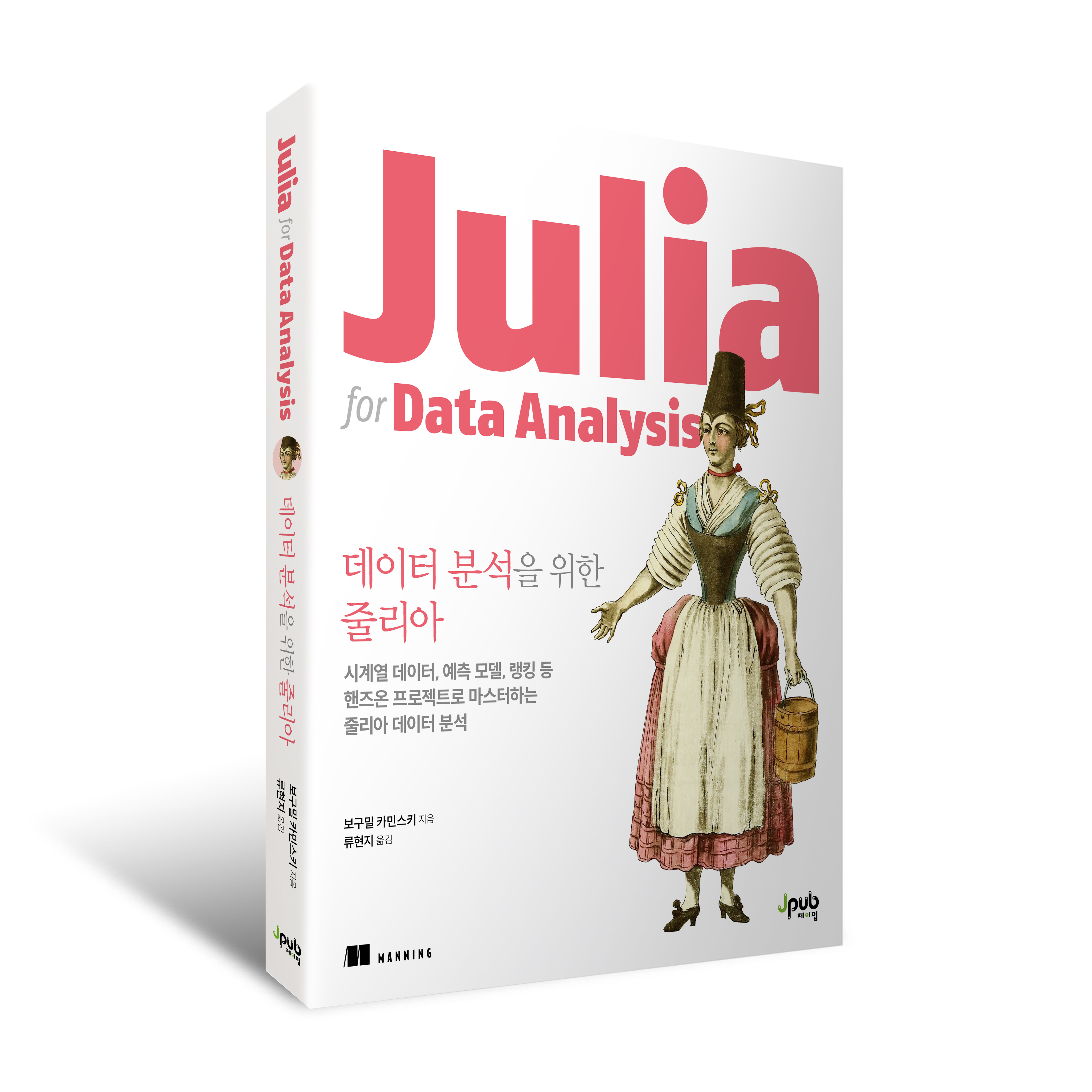
<p>This week I got a nice little surprise in my office. A year after my <a href="https://www.manning.com/books/julia-for-data-analysis">Julia for Data Analysis</a>
book has been published I got a package with a set of printed versions of its Korean translation
<a href="https://jpub.tistory.com/1547">데이터 분석을 위한 줄리아</a>. It was really a nice experience and I hope that Julia users from Korea will like it.</p>

<p><img src="/assets/jda.jpg" alt="데이터 분석을 위한 줄리아" /></p>

<p>Therefore, for today, I decided to discuss a functionality that is little known, but often quite useful.
It is related to adding conditional columns to a data frame.</p>

<p>The post was written under Julia 1.10.1, DataFrames.jl 1.6.1, and DataFramesMeta.jl 0.15.2.</p>

<h1 id="the-problem">The problem</h1>

<p>Assume you have the following data frame:</p>

<div class="language-plaintext highlighter-rouge"><div class="highlight"><pre class="highlight"><code>julia&gt; using DataFrames

julia&gt; df = DataFrame(x=-2.0:0.5:2.0)
9×1 DataFrame
 Row │ x
     │ Float64
─────┼─────────
   1 │    -2.0
   2 │    -1.5
   3 │    -1.0
   4 │    -0.5
   5 │     0.0
   6 │     0.5
   7 │     1.0
   8 │     1.5
   9 │     2.0
</code></pre></div></div>

<p>Now we want to add a second column to this data frame that contains a square root of column <code class="language-plaintext highlighter-rouge">"x"</code>.</p>

<p>A basic approach fails:</p>

<div class="language-plaintext highlighter-rouge"><div class="highlight"><pre class="highlight"><code>julia&gt; df.sqrtx = sqrt.(df.x)
ERROR: DomainError with -2.0:
sqrt was called with a negative real argument but will only return a complex result if called with a complex argument. Try sqrt(Complex(x)).
</code></pre></div></div>

<p>The reason is that we cannot normally take a square root of a negative number.</p>

<p>We can perform a conditional processing for example like this:</p>

<div class="language-plaintext highlighter-rouge"><div class="highlight"><pre class="highlight"><code>julia&gt; df.sqrtx = (x -&gt; x &lt; 0.0 ? missing : sqrt(x)).(df.x)
9-element Vector{Union{Missing, Float64}}:
  missing
  missing
  missing
  missing
 0.0
 0.7071067811865476
 1.0
 1.224744871391589
 1.4142135623730951

julia&gt; df
9×2 DataFrame
 Row │ x        sqrtx
     │ Float64  Float64?
─────┼─────────────────────────
   1 │    -2.0  missing
   2 │    -1.5  missing
   3 │    -1.0  missing
   4 │    -0.5  missing
   5 │     0.0        0.0
   6 │     0.5        0.707107
   7 │     1.0        1.0
   8 │     1.5        1.22474
   9 │     2.0        1.41421
</code></pre></div></div>

<p>but I do not find this approach very readable (especially from the perspective of a beginner).</p>

<p>The alternative that I prefer is to work with a view of the source data frame. Let us first create such a view that contains all columns of the original data frame, but only rows in which column <code class="language-plaintext highlighter-rouge">"x"</code> is non-negative:</p>

<div class="language-plaintext highlighter-rouge"><div class="highlight"><pre class="highlight"><code>julia&gt; dfv = filter(:x =&gt; &gt;=(0.0), df, view=true)
5×2 SubDataFrame
 Row │ x        sqrtx
     │ Float64  Float64?
─────┼───────────────────
   1 │     0.0  0.0
   2 │     0.5  0.707107
   3 │     1.0  1.0
   4 │     1.5  1.22474
   5 │     2.0  1.41421
</code></pre></div></div>

<p>Now, we can add a column to such a view by using a plain <code class="language-plaintext highlighter-rouge">sqrt</code> function without any decorations:</p>

<div class="language-plaintext highlighter-rouge"><div class="highlight"><pre class="highlight"><code>julia&gt; dfv.sqrtx2 = sqrt.(dfv.x)
5-element Vector{Float64}:
 0.0
 0.7071067811865476
 1.0
 1.224744871391589
 1.4142135623730951

julia&gt; dfv
5×3 SubDataFrame
 Row │ x        sqrtx     sqrtx2
     │ Float64  Float64?  Float64?
─────┼─────────────────────────────
   1 │     0.0  0.0       0.0
   2 │     0.5  0.707107  0.707107
   3 │     1.0  1.0       1.0
   4 │     1.5  1.22474   1.22474
   5 │     2.0  1.41421   1.41421

julia&gt; df
9×3 DataFrame
 Row │ x        sqrtx           sqrtx2
     │ Float64  Float64?        Float64?
─────┼─────────────────────────────────────────
   1 │    -2.0  missing         missing
   2 │    -1.5  missing         missing
   3 │    -1.0  missing         missing
   4 │    -0.5  missing         missing
   5 │     0.0        0.0             0.0
   6 │     0.5        0.707107        0.707107
   7 │     1.0        1.0             1.0
   8 │     1.5        1.22474         1.22474
   9 │     2.0        1.41421         1.41421
</code></pre></div></div>

<p>Note that both <code class="language-plaintext highlighter-rouge">dfv</code> and <code class="language-plaintext highlighter-rouge">df</code> are updated as expected. The filtered-out rows get <code class="language-plaintext highlighter-rouge">missing</code> values.</p>

<p>It is important to highlight that this functionality works if the view (<code class="language-plaintext highlighter-rouge">SubDataFrame</code>) was created using all columns of the source data frame (like is done in the case of our <code class="language-plaintext highlighter-rouge">filter</code> call above).
The reason for this restriction is that if view contained some subset of columns the operation of adding a column would be unsafe (there would be a risk of accidental and unwanted overwrite of a column present in the source data frame that was not included in the view).</p>

<p>This functionality is especially nice in combination with DataFramesMeta.jl, just have a look:</p>

<div class="language-plaintext highlighter-rouge"><div class="highlight"><pre class="highlight"><code>julia&gt; @chain df begin
           @rsubset(:x &gt;= 0; view=true)
           @rtransform!(:sqrtx3 = sqrt(:x))
           parent
       end
9×4 DataFrame
 Row │ x        sqrtx           sqrtx2          sqrtx3
     │ Float64  Float64?        Float64?        Float64?
─────┼─────────────────────────────────────────────────────────
   1 │    -2.0  missing         missing         missing
   2 │    -1.5  missing         missing         missing
   3 │    -1.0  missing         missing         missing
   4 │    -0.5  missing         missing         missing
   5 │     0.0        0.0             0.0             0.0
   6 │     0.5        0.707107        0.707107        0.707107
   7 │     1.0        1.0             1.0             1.0
   8 │     1.5        1.22474         1.22474         1.22474
   9 │     2.0        1.41421         1.41421         1.41421
</code></pre></div></div>
<p>In the code above I used <code class="language-plaintext highlighter-rouge">parent</code> in the last step to recover the source <code class="language-plaintext highlighter-rouge">df</code>.</p>

<p>As a final comment note that an alternative in DataFramesMeta.jl is to just use a plain <code class="language-plaintext highlighter-rouge">@rtransform!</code> macro:</p>

<div class="language-plaintext highlighter-rouge"><div class="highlight"><pre class="highlight"><code>julia&gt; @rtransform!(df, :sqrtx4 = :x &lt; 0 ? missing : sqrt(:x))
9×5 DataFrame
 Row │ x        sqrtx           sqrtx2          sqrtx3          sqrtx4
     │ Float64  Float64?        Float64?        Float64?        Float64?
─────┼─────────────────────────────────────────────────────────────────────────
   1 │    -2.0  missing         missing         missing         missing
   2 │    -1.5  missing         missing         missing         missing
   3 │    -1.0  missing         missing         missing         missing
   4 │    -0.5  missing         missing         missing         missing
   5 │     0.0        0.0             0.0             0.0             0.0
   6 │     0.5        0.707107        0.707107        0.707107        0.707107
   7 │     1.0        1.0             1.0             1.0             1.0
   8 │     1.5        1.22474         1.22474         1.22474         1.22474
   9 │     2.0        1.41421         1.41421         1.41421         1.41421
</code></pre></div></div>

<p>In this case it also quite clean.</p>

<h1 id="conclusions">Conclusions</h1>

<p>I am really happy that we have a Korean version of Julia for Data Analysis.</p>

<p>I hope that the example transformations I have shown today were useful and improved your knowledge of DataFrames.jl and DataFramesMeta.jl packages.</p>]]></content><author><name></name></author><category term="julialang" /><summary type="html"><![CDATA[Introduction]]></summary></entry><entry><title type="html">Breaking a passcode with Julia</title><link href="/julialang/2024/05/03/pe79.html" rel="alternate" type="text/html" title="Breaking a passcode with Julia" /><published>2024-05-03T09:01:25+00:00</published><updated>2024-05-03T09:01:25+00:00</updated><id>/julialang/2024/05/03/pe79</id><content type="html" xml:base="/julialang/2024/05/03/pe79.html"><![CDATA[<h1 id="introduction">Introduction</h1>

<p>This week it is a holiday period in Poland so I decided to solve a puzzle.
I liked the code as it can be used to show some basic features of the Julia language.</p>

<p>The examples were written under Julia 1.10.1, HTTP.jl 1.10.6, and Graphs.jl 1.10.0.</p>

<h1 id="the-problem">The problem</h1>

<p>I decided to use my favorite Project Euler puzzle set. This time I chose <a href="https://projecteuler.net/problem=79">Problem 79</a>.</p>

<p>Here is its statement (taken from the Project Euler website):</p>

<blockquote>
  <p>A common security method used for online banking is to ask the user for three random characters from a passcode. For example, if the passcode was 531278, they may ask for the 2nd, 3rd, and 5th characters; the expected reply would be: 317.
The text file, keylog.txt, contains fifty successful login attempts.
Given that the three characters are always asked for in order, analyse the file so as to determine the shortest possible secret passcode of unknown length.</p>
</blockquote>

<p>The keylog.txt file can be found under this link: https://projecteuler.net/resources/documents/0079_keylog.txt.</p>

<p>Let us try solving the puzzle.</p>

<h1 id="the-solution">The solution</h1>

<p>First we use the HTTP.jl package to get the data and pre-process it.
Start by storing the file as a string:</p>

<div class="language-plaintext highlighter-rouge"><div class="highlight"><pre class="highlight"><code>julia&gt; using HTTP

julia&gt; url = "https://projecteuler.net/resources/documents/0079_keylog.txt"
"https://projecteuler.net/resources/documents/0079_keylog.txt"

julia&gt; str = String(HTTP.get(url).body)
"319\n680\n180\n690\n129\n620\n762\n689\n762\n318\n368\n710\n720\n710\n629\n168\n160\n689\n716\n731\n736\n729\n316\n729\n729\n710\n769\n290\n719\n680\n318\n389\n162\n289\n162\n718\n729\n319\n790\n680\n890\n362\n319\n760\n316\n729\n380\n319\n728\n716\n"
</code></pre></div></div>

<p>Now we want to process this string into a vector of vectors containing the digits verified by the user.
First we split the string by newlines using the <code class="language-plaintext highlighter-rouge">split</code> function. Next We process each line by transforming it into a vector of numbers. We use two features of Julia here. The first is the <code class="language-plaintext highlighter-rouge">collect</code> function, which when passed a string returns a vector of characters. The second is broadcasting. By broadcasted substraction of <code class="language-plaintext highlighter-rouge">'0'</code> from a vector of characters we get a vector of integers. Here is the code:</p>

<div class="language-plaintext highlighter-rouge"><div class="highlight"><pre class="highlight"><code>julia&gt; v = [collect(x) .- '0' for x in split(str)]
50-element Vector{Vector{Int64}}:
 [3, 1, 9]
 [6, 8, 0]
 [1, 8, 0]
 ⋮
 [3, 1, 9]
 [7, 2, 8]
 [7, 1, 6]
</code></pre></div></div>

<p>Now we are ready to analyze the data. We will use a directed graph to represent it.
The directed graph will have 10 nodes. Each representing a digit. Because Julia uses
1-based indexing, node number of digit <code class="language-plaintext highlighter-rouge">x</code> will be <code class="language-plaintext highlighter-rouge">x+1</code>.
Here is the code creating the directed graph:</p>

<div class="language-plaintext highlighter-rouge"><div class="highlight"><pre class="highlight"><code>julia&gt; using Graphs

julia&gt; gr = DiGraph(10, 0)
{10, 0} directed simple Int64 graph

julia&gt; for x in v
           add_edge!(gr, x[1] + 1, x[2] + 1)
           add_edge!(gr, x[2] + 1, x[3] + 1)
       end

julia&gt; gr
{10, 23} directed simple Int64 graph
</code></pre></div></div>

<p>Note that we have 23 relationships constraining the sequence of the numbers in the unknown password.
Let us check, for each number the number of times it is the preceeding or a following in our graph:</p>

<div class="language-plaintext highlighter-rouge"><div class="highlight"><pre class="highlight"><code>julia&gt; [outdegree(gr) indegree(gr)]
10×2 Matrix{Int64}:
 0  5
 5  2
 3  3
 3  1
 0  0
 0  0
 4  3
 5  0
 2  4
 1  5
</code></pre></div></div>

<p>From this summary we see that the first node (representing digit <code class="language-plaintext highlighter-rouge">0</code>) is never a source, so it can be a last digit in a pass code. Similarly eighth node (representing <code class="language-plaintext highlighter-rouge">7</code>) is never a destination, so it can be a first digit. Finally, digits <code class="language-plaintext highlighter-rouge">4</code> and <code class="language-plaintext highlighter-rouge">5</code> are never neither a source or a destination, so they can be dropped.</p>

<p>How can we programattically find the list of nodes that can be dropped? We can simply find all nodes whose total degree is <code class="language-plaintext highlighter-rouge">0</code>:</p>

<div class="language-plaintext highlighter-rouge"><div class="highlight"><pre class="highlight"><code>julia&gt; to_drop = findall(==(0), degree(gr)) .- 1
2-element Vector{Int64}:
 4
 5
</code></pre></div></div>

<p>Now we are ready for a final move. Let us assume that our directed graph does not have cycles (this is a simple case, as then we can assume that each number is present exactly once in the code). In this case we can use the <a href="https://en.wikipedia.org/wiki/Topological_sorting">topological sorting</a> to find the shortest sequence of numbers consistent with the observed data. In our case to get the topological sorting of nodes in the graph we can write:</p>

<div class="language-plaintext highlighter-rouge"><div class="highlight"><pre class="highlight"><code>julia&gt; ts = topological_sort(gr)
10-element Vector{Int64}:
  8
  6
  5
  4
  2
  7
  3
  9
 10
  1
</code></pre></div></div>

<p>We did not get an error, which means that our directed graph did not have any cycles, so we are done.</p>

<p>What is left to get a solution is to correct the node-numbering (as we start numbering with <code class="language-plaintext highlighter-rouge">1</code> and the smallest digit is <code class="language-plaintext highlighter-rouge">0</code>) and remove the numbers that are never used. As usual, I leave the final solution un-evaluated, to encourage you to run the code yourself:</p>

<div class="language-plaintext highlighter-rouge"><div class="highlight"><pre class="highlight"><code>setdiff(ts .- 1, to_drop)
</code></pre></div></div>

<h1 id="conclusions">Conclusions</h1>

<p>I hope you enjoyed the puzzle and the solution!</p>]]></content><author><name></name></author><category term="julialang" /><summary type="html"><![CDATA[Introduction]]></summary></entry></feed>